Hybrid & conference-room audio · settings side
Hybrid meetings sound bad in predictable ways. Fix them from mid-table.

Somebody in every organization ends up as the room's unofficial audio marshal — the person mid-table who notices the echo forming before the remote folks have to say anything. MidTable is written by those people. We fix conference-room and hybrid-meeting audio with join layouts and software settings: which device carries the room, what the room system should be told once, and what cleanup software can honestly add. No gear reviews. No "just buy a better microphone." Layouts and menus.
The three ways a hybrid room fails
Most of what gets called "bad audio" in a shared room is one of three structural failures, and each has its own playbook:
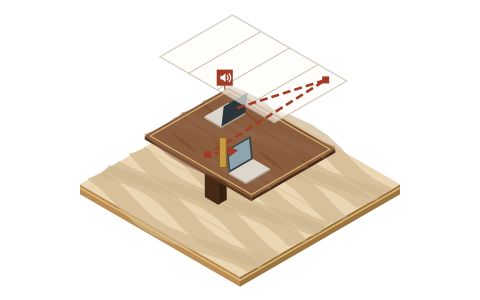 Failure one
The room echoes
A microphone is hearing a speaker. Find the loop, close it, keep it closed. Our most-read page, and the first thing to check.
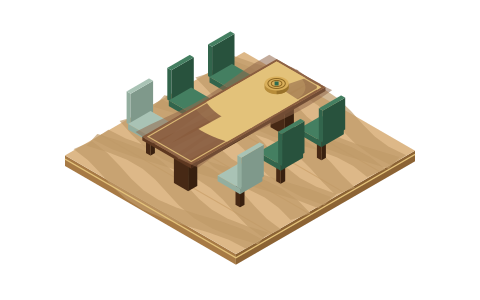 Failure two
Remote can't hear the room
Voices at the far end of the table arrive thin, clipped, or not at all. Diagnose mic selection, suppression settings, and seating — in that order.
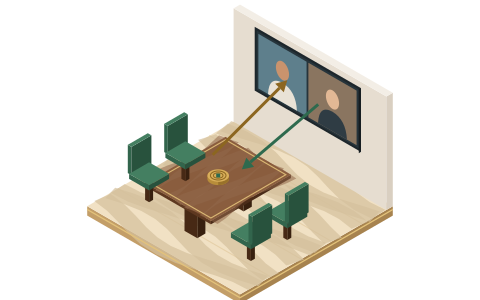 Failure three
The room drowns the remote side
The table talks over people on the screen without meaning to. Part audio, part layout, part chairing — the umbrella guide covers both directions.
Start with the anchor rule
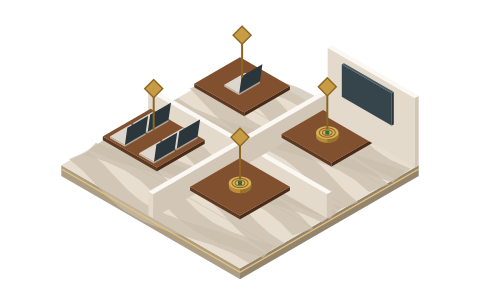
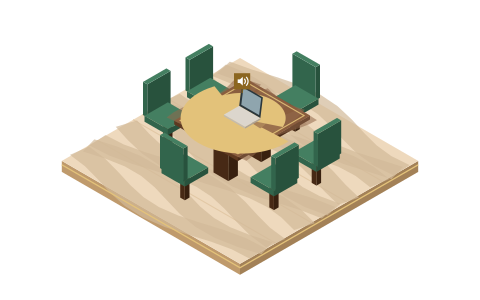
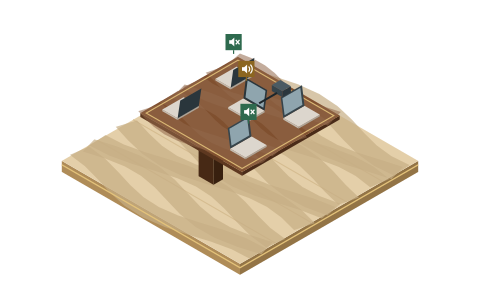
Every fix on this site descends from one rule: a room gets exactly one open audio path. One device — the room system, or one nominated laptop — owns the microphone and the speaker. Every other device in that room joins with computer audio disconnected: screen, chat and reactions only. The moment two devices in one room both have live audio, you have built an echo loop and handed it to the delay of the internet.
One open audio path
Two live devices in one room
Brass: the one device that owns mic and speaker. Green outline: joined for screen, chat and reactions, audio disconnected.
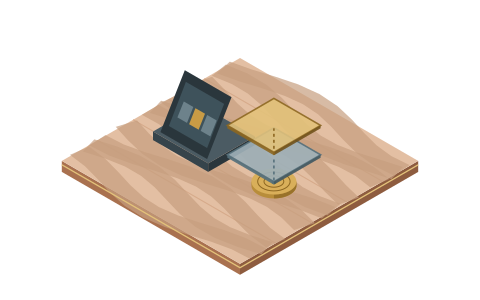
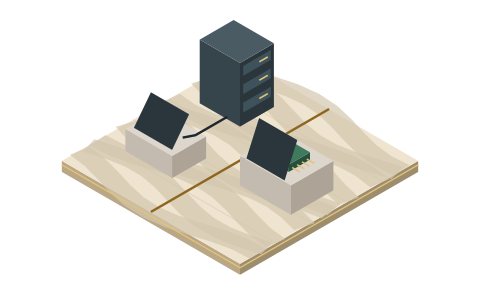
Deciding which device should be that anchor, per room type, is the Join Map — a one-page framework you can sketch on the whiteboard outside the room. For the messy real-world versions of the question, we keep dedicated pages for running a whole room from one laptop and for BYOD rooms where everyone brings a device.
Tell your room system what you want — once
If your rooms run dedicated room software, most of the audio decisions have already been made for you, quietly, by defaults. They're mostly good defaults; you should still know where they live and what they do:
- Zoom Rooms: a base layer of audio processing runs continuously, and a Noise Suppression control on the room controller offers Off, Auto (the default) and High for genuinely noisy rooms. Zoom's clients can also use ultrasonic proximity detection to silence laptops that join inside the room — worth enabling deliberately.
- Teams Rooms: on Windows devices, Microsoft applies its own noise suppression by default and documents that a certified DSP, when connected, takes over echo cancellation from the service. On Android-based rooms the manufacturer's firmware does the audio work — a distinction that matters when you're deciding what to change and what to leave alone.
Both writeups were checked against the vendors' current documentation on 20 September 2026, and both are room-level guides: what the person responsible for a room can set, not enterprise rollout policy.
What software honestly adds
Once the join layout is right and the room system is set, a cleanup layer on the anchor laptop is the one purchase-shaped decision we'll talk about. Krisp sits between the microphone and the meeting app and states plainly that it removes noise, echo and cross-talk, working at the audio level with any conferencing app. Where it fits a shared room, where it can't help, and what it costs — verified against its pricing page rather than folklore — is all in Krisp for conference rooms.
Just as important: plenty of what we recommend costs nothing. The anchor rule is free. The proximity-detection and second-device behaviors built into Zoom and Teams are free. The sixty-second room check is free. We'd rather you fix the meeting than buy anything.
The standing agenda
 Settings desk
Zoom Rooms audio settings
Noise Suppression, proximity detection, and what to leave alone.
What MidTable is, and isn't
We're the settings side of the table. We verify vendor claims against their documentation and print the date we checked. We don't invent test benches, we don't score things we haven't configured, and we don't do hardware — not because microphones don't matter, but because purchasing advice is a different discipline and plenty of rooms sound fine once the software is told what to do. When a fix is genuinely physical — a glass box that reverberates, a mic that's simply broken — we say so and stop, rather than pretending a menu will save you. The long version of that promise, plus how affiliate links pay for this site, lives in the fine print.
Asked at every table
Why do hybrid meetings sound so much worse than desk calls?
A desk call is one person, one mic, one echo canceller doing exactly the job it was designed for. A hybrid room asks one audio path to serve six people at different distances, and every extra laptop joined with live audio adds a loop the echo canceller can't see. The failures are structural — which is the good news, because structural failures are predictable and fixable. Start with the umbrella guide.
Do I need new equipment to fix conference room audio?
Usually not first. Most incidents are join-layout problems — too many open audio paths — or settings problems on the room system, and both are free to fix. If, after the layout is right and the settings are deliberate, the room still fails, the honest answer may be physical; we'll tell you so, and hand you to your buying process rather than pretending to run one.
What is the anchor rule?
A room gets exactly one open audio path. One device owns mic and speaker; every other device joins with audio disconnected. It's the single highest-value habit in hybrid meetings, and the Join Map turns it into a decision you make once per room instead of a scramble every morning.