Room recipe · the huddle-room special
One laptop, whole room: making the huddle-room special work
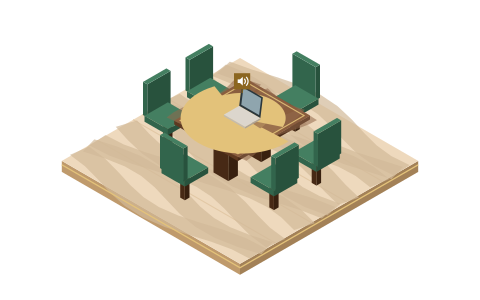
No room system, no budget line, six people and a laptop: the most common hybrid setup in the world, and nobody designed it. It can work — genuinely — for small rooms, if you treat the laptop as a deliberate audio anchor instead of a personal device that happens to be lying there. Here is what fails, what fixes it, and the honest point where one laptop stops being enough.
Why the default version fails
The laptop was built to serve the person whose lap it's on: one voice, half a meter away, facing the microphone. Put it at the head of a table serving six, and four things go wrong at once — all of them predictable:
- Distance does what distance does. Voice energy reaching a mic falls off steeply with distance; a colleague two meters down the table simply delivers far less signal than the person beside the laptop. The software response is automatic gain control (AGC) reaching harder for the quiet voices — which is why one-laptop rooms have that characteristic pumping sound, the room's background swelling up between sentences. That's the gain, hunting. This is principle, not our lab result — but you've heard it, because everyone has.
- The keyboard is the closest voice in the room. Typing happens centimeters from the mic while every human is a meter-plus away. To the far end, minutes-taking sounds like demolition.
- The screen points one way, the mic favors whoever it faces. The people behind the laptop lid — usually whoever came late — are both invisible and half-audible.
- Extra laptops sneak in. Someone opens the meeting "just to share a screen," joins with audio out of habit, and now there are two open audio paths — the echo loop we dissect in conference room echo.
The setup that works
The anchor goes mid-table, not at the head. Filled dots sit inside conversational reach; the hollow seat is a screen-only join with audio disconnected.
- Anchor mid-table, lid at right angles to the split. Center the laptop among the voices, not in front of the presenter. Nobody sits behind the lid.
- One open audio path — enforced out loud. The anchor owns mic and speaker. Anyone else joining for slides or chat disconnects computer audio at the join screen (both major platforms make this a one-click choice; Teams even silences second-device joins automatically, as we cover in the Teams Rooms guide). Decide this before the meeting with the Join Map.
- Volume at two-thirds of your instinct. A loud anchor speaker feeds its own mic and taxes echo cancellation. If the far side is hard to hear at modest volume, move people closer instead of the dial higher.
- No typing on the anchor. Minutes happen on a different device — one that's joined without audio, or not joined at all.
- The chair repeats the room. Side remarks, questions from the far end, laughter at something off-screen: the chair restates them toward the laptop. Half of "audio quality" in one-laptop rooms is this single habit.
- A cleanup layer on the anchor. This is the setup where processing software earns its keep most clearly — one machine carrying a whole room's noise: keyboards, HVAC, the corridor. Krisp runs between the anchor's mic and whatever meeting app you use — it states it works at the audio level with any conferencing app and removes noise, echo and cross-talk — so you configure one layer once instead of touching each app's menus. Details and limits: Krisp for conference rooms.
The honest ceiling
Here is the line we won't blur: past roughly six people, or any table where pulling chairs into a huddle is impossible, the one-laptop room stops being a settings problem. A single built-in microphone cannot be configured into hearing a ten-seat boardroom evenly; suppression and gain tricks make the far voices processed, not present. At that size the answer is a genuine room system or a physical rethink — a purchasing and facilities conversation that MidTable, by policy, doesn't run. What we can tell you is what the software side looks like once such a system exists: our Zoom Rooms and Teams Rooms pages cover the settings those systems actually expose.
Seat counts from this page: “past roughly six people” one laptop stops being a settings problem.
Between here and there, one more free upgrade exists: run the sixty-second room check before the meeting, and skim the umbrella hybrid meeting audio guide so the whole room shares the same mental model of what's failing and why.
Asked around the huddle table
Can you really run a hybrid meeting from one laptop?
For a small room, yes — deliberately. Anchor mid-table, one open audio path, modest volume, no typing on the anchor, chair repeating the room, cleanup software on the anchor. Past six-ish people, the physics outruns the checklist and we say so plainly above.
Why does typing sound so catastrophic to the remote side?
The keyboard sits centimeters from the mic; the voices sit meters away. Automatic gain reaches for the distant voices and amplifies the nearby clatter along the way. Move the minutes to another device and let a noise layer on the anchor catch the rest.
Everyone wants the meeting open for the shared doc. Echo risk?
Only if they join with audio. Screen-and-chat joins are fine when computer audio is disconnected at the join screen — disconnected, not muted, because a muted laptop's speaker still plays the meeting into the room. That distinction carries the whole echo playbook.
Is the laptop's built-in noise suppression enough without extra software?
Sometimes. Meeting platforms ship serviceable suppression these days, and for a quiet room with three people it may well hold. The one-laptop room earns extra help because it concentrates a whole room's noise into one under-positioned mic; a dedicated layer like Krisp exists for exactly that concentration. Try the free trial in your real room and let your remote colleagues vote.
Verification note: Krisp's platform claims, pricing, and free-plan status were checked on krisp.ai and its help center on 20 September 2026. The AGC and distance behaviors described above are standard audio engineering principles, stated as such — MidTable runs no measurement lab and claims none.